Let’s talk about the conclusion first
Divide the operation window according to the office usage period, and then list the public areas, workstations and periodic items; materials, equipment, access control and acceptance responsibilities need to be clarified in advance.
First understand when the office is actually operational
Offices may have the same square footage, but may have different personnel density, visitor volume, and working hours, and cleaning schedules cannot be copied. First explain the commuting hours, meeting peaks, overtime situations and which areas need to be continuously used, and then discuss before work, after get off work or partition operations. Whether access is allowed during idle periods should also be confirmed by the management.
Daytime maintenance and intensive cleaning have different emphasis. The former needs to avoid affecting traffic and meetings, while the latter relies more on access control, lighting and on-site handover. When comparing plans, not only ask how many people should be arranged, but also which tasks should be completed at which time, and how to adjust the order when encountering impromptu meetings.
- High-frequency use areas and sealable work areas are marked separately.
- Weekdays, weekends, and temporary events are stated separately.
Partition by usage, not average effort
Reception areas, pantries, toilets and passages usually require maintenance that matches the frequency of use; conference rooms must consider the connection between events. For individual workstations, it is necessary to first clarify whether moving items are allowed on the desktop, and the cleaning methods of public areas cannot be directly applied to every desk. Different areas should have their own task and frequency lists.
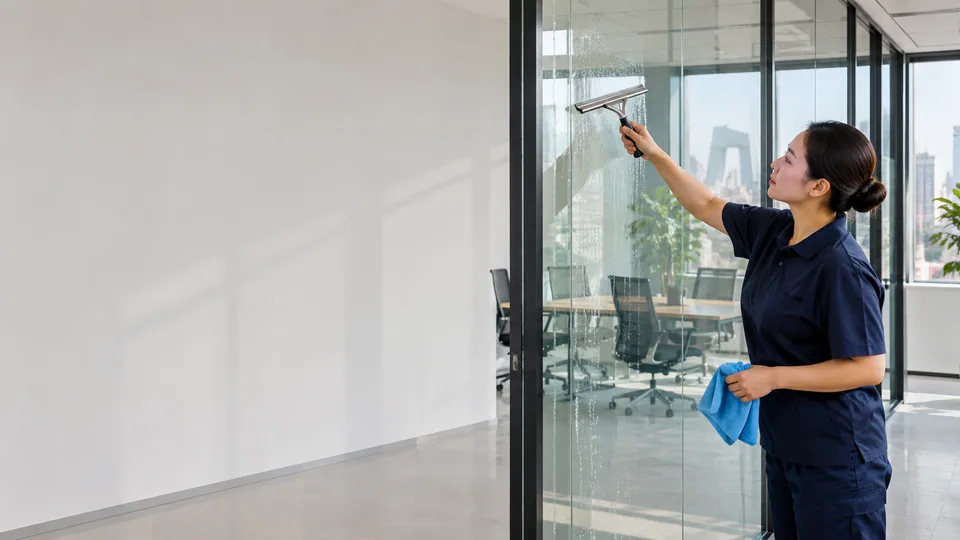
Periodic items may be listed separately, such as glass outside the daily scope, higher locations, and centralized finishing. In this way, whether basic tasks are completed during daily attendance and whether periodic projects are executed as planned can be checked separately. If you only write to keep things tidy, it is often difficult to judge whether the temporarily added things have been included.
- Write the area, action and frequency for regular tasks.
- Periodic tasks are listed separately and do not occupy all daily maintenance time.
First draw clear boundaries between files, equipment and access control
Office files, drawers, storage devices, and information on screens should not be considered free objects. Managers can clarify which open surfaces on the desktop will only be cleaned, which data will not be touched at all, and who will judge the waste paper. Whether computers and special equipment should be treated should be based on equipment requirements and confirmation by both parties, and technical maintenance should not extend from ordinary cleaning.
Keys, door cards and visitor registration need to be handed over records, and the on-site contact person during non-working hours should also be clear. For garbage collection, material replenishment and abnormal situations, write down who will provide it, where it will be placed, and who will provide feedback. Just because cleaning staff has access to the site does not automatically mean that they have access to all spaces.
- Documents do not sort, browse, or decide to discard by themselves.
- Equipment, access cards and restricted areas are clearly stated.
Acceptance depends on continuous execution, not just once.
A short completion form can be used for daily services to record the execution of public areas, workstations and periodic tasks; on-site managers conduct regular spot checks based on the same standards. Photos are only used when necessary and meet the requirements of the venue to prevent office information from entering irrelevant group chats. The problem description should be specific to the location and project to facilitate verification and improvement.
As activities increase, staff adjusts, or venues change, tasks and frequencies should be updated rather than continuing to rely on old lists. When comparing different plans, only by looking at the time window, scope, consumable responsibilities and acceptance methods together can you identify the differences; comparing only a total price, it is easy to ignore the actual execution content.
- Daily completion records and cycle acceptance records are kept separately.
- Synchronously update the scope and operation period after the site changes.
Take this checklist with you
- Operation windows and meeting peaks are clear
- Breakdown of public areas, work stations and periodic tasks
- File devices and restricted areas have been explained
- Access control handover and acceptance contact person determined
You may also want to know
Is it definitely more appropriate to clean after get off work?
Depends on access control, overtime and on-site conditions. It should be compared with the actual usage period and cannot be inferred based on regular work and rest.
Can I organize the files on my desk?
should be clarified by the management; by default, no browsing, no classification, no decision to discard will be made, and the data collection needs to be confirmed separately.